
Simpler agent contracting starts with better visibility.
HE Comply helps universities manage agent agreements, approvals, and renewals in one place. Save time, reduce manual work, and give your team clearer visibility over every partner relationship.







Why speak with us
When we meet institution leaders we often find their international recruitment teams manage agent partnerships across disconnected systems. People and processes hold these together, often precariously, and renewals can take weeks of manual effort.
And when we map these operations, visibility gaps typically emerge around approval flows, audit trails, commission values, bonus terms (incl. how bonuses are agreed), as well as contract security. Most teams continue to rely on email - inherently insecure - to share these agreements.
Some providers operate a significant minority of contracts (sometimes over 20%) that have already expired. This is a very significant compliance issue, yet senior leadership is usually unaware because this critical space remains disconnected from executives.
We've built HE Comply to make critical data visible to the people who need to see it. Talk to us and in about 45 minutes we can assess your operating position vs peers, and can step you through how we might be able to improve this. Senior leaders can email me directly to discuss in confidence: john.connolly [at] hecomply.com.
Why digital contracting is better

Link sub-agents to their master agent. Record approvals, territories and commission rules. See who is authorised and stop unapproved routing.

Instant access to all agent contracts and commercial terms, including bonus structures. No missing versions. Continuity when staff move on.

Every change captured with who, what, and when. Faster reviews and clearer accountability. Compliant practice across your operations.

View results by agent and sub-agent against contracted terms, territories and programs. Act on exceptions early, not post-cycle.
Can your university do all this today?
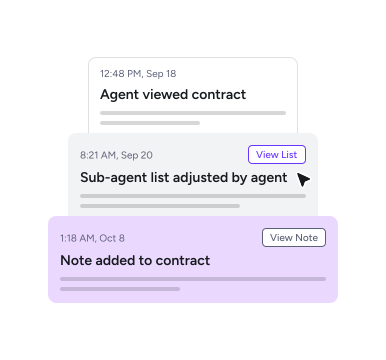
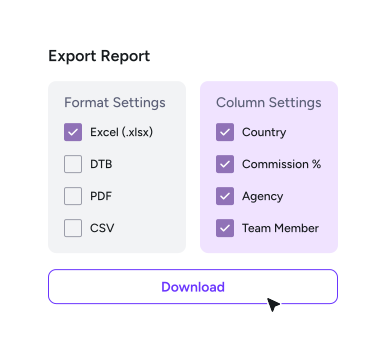
Record who approved what and when. Track expiries and automate renewals for trusted partners. Export clean evidence for reviews in minutes.
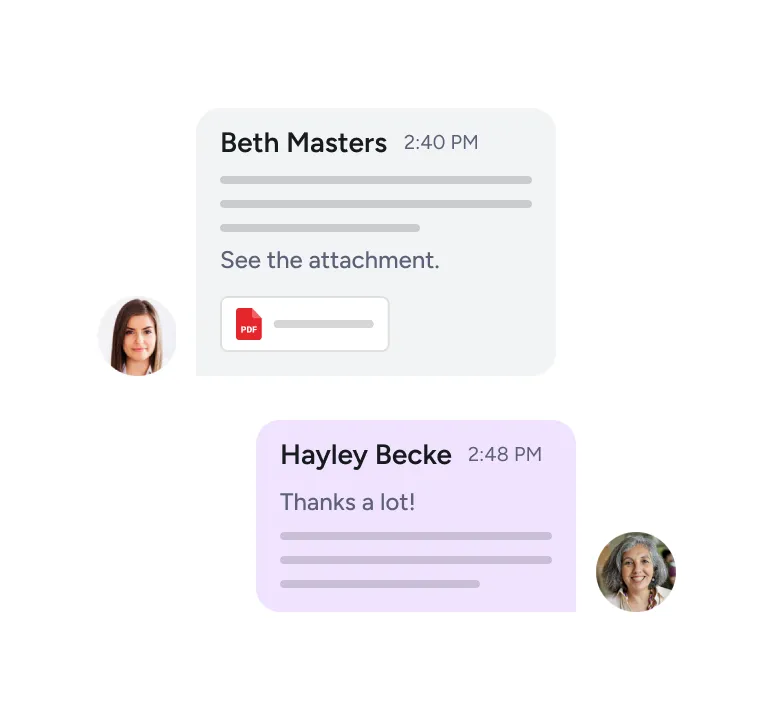
Compliantly vary terms to capture quality student supply. No more lengthy email chains and uncertain student origins.
Universities must ensure all partner & sub-agent counselors are trained appropriately. Can you be certain today?
FAQs
Agent agreements may define commission terms, renewal dates, bonus arrangements, territories, approval rights, and partner obligations. When those contracts sit across inboxes, shared drives, and spreadsheets, teams waste time finding information and risk acting on outdated terms.
HE Comply gives your team one place to manage contract records, approvals, renewals, and activity history. That helps reduce admin and improve accuracy, and gives leaders clearer visibility over agent partnerships and commercial performance.
You decide who can access each contract and what they are allowed to do. International Office staff can manage agreements day-to-day and senior leaders can be given full visibility where needed.
Approvers such as a CFO, COO, or delegated manager can review new or renewed contracts before they are released for digital signing. Contracts can also be shared selectively with individual staff, and you can choose whether agents see the same agreements.
Yes. HE Comply is GDPR compliant. Relevant contract data is stored securely using AWS and DocuSign infrastructure, with encryption in transit and at rest. All accounts come with multi-factor authorisation.
We do not use your commission values or contract data for AI training. HE Comply is designed to be significantly more secure than the common practice of sharing contract files by email.
Yes. Each contract includes activity history so your team can see who initiated, reviewed, signed, managed, viewed, or updated an agreement.
This reduces the need to rebuild records manually from emails and folders. It also gives teams cleaner evidence for internal reporting, compliance reviews, and partner management.
Senior users on some accounts can also see collated views of all account activity across contracts, users, and markets.
After an initial discussion and demo, setup usually takes 20–30 minutes. This includes uploading your first contracts.
No on-premise installation is required.
We support users step by step and can provide one-to-one onboarding to help your team import contracts, configure permissions, and start managing agreements quickly.
Yes. We can connect with existing data sources on request to support richer reporting and reduce duplicate work.
We integrate with all Enterprise users' chosen system(s).
Many teams choose to start without integration by importing contracts directly and managing agreements inside HE Comply.
Yes. HE Comply helps you import existing agreements quickly using an AI-assisted workflow. This gives your team a cleaner starting point without manually rebuilding every contract record.
We advise loading max. 40-50 at one time; this takes around 2 minutes for our AI to structure and you can the check details and confirm upload. Manual quality assurance tools are provided for users.
Users can also add related documents and nest these with contracts. For example, due diligence documentation or certificates of representation.
Many agents use our platform to manage their agreements with universities and colleges.
When an agency partner invites you to co-manage your agreement, it is important to join via the unique link inside that email. This ensures your account is linked to the agency's account upon joining, and that your contract is visible to you.
It is free to co-manage agreements where the partner agency has invited your institution.
Worth knowing: agents can issue two types of invitation to university partners:
i) to create an account and link here in HE Comply (with no contract shared), and
ii) an invitation to co-manage your contract.
In both instances, use the invitation link in the email to create your free account.